Short answer
To add an IPTV playlist, open your player and choose Add playlist (or Add user), then pick the login type your provider sent: Xtream Codes — enter the server URL, username and password, the best choice for most apps — or an M3U link, which you paste as a single URL. MAG and Formuler boxes use a portal URL tied to the box’s MAC address, and Samsung/LG players such as IBO Player are filled in on the app’s website with the TV’s MAC address and device key. Your username, password and links come from your IPTV provider when you order or take a trial.
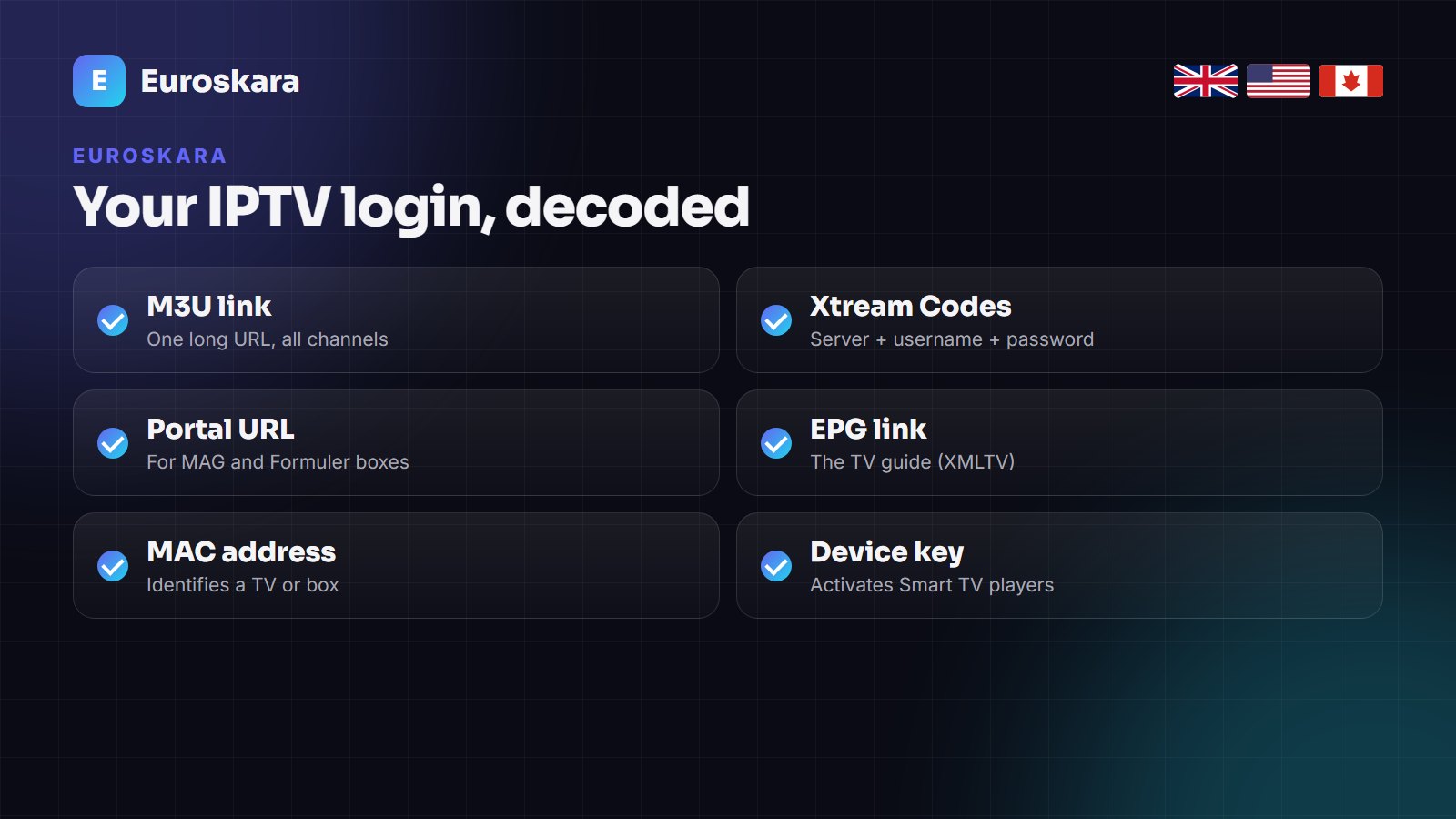
Your IPTV login can arrive in three shapes, and every app asks for it slightly differently. Here is what each one is, where it goes in the app you use, and how to fix the errors that stop a playlist from loading.
Most “my playlist won’t load” messages we get turn out to be one of three things: the right details in the wrong field, a link copied with a missing character, or a login type the app does not support. Once you know what each piece of your login is for, adding a playlist takes two minutes in any app.
The three ways an IPTV login can arrive
| Login type | What it looks like | Works in | Best for |
|---|---|---|---|
| Xtream Codes API | Server URL + username + password | Smarters, TiviMate, XCIPTV, OTT Navigator | Most people: guide, VOD and catch-up load automatically |
| M3U link | One long URL that contains your login | Almost every player, VLC, Kodi | Players without Xtream support |
| Portal URL (Stalker) | A server address; the box’s MAC is registered on the line | MAG, Formuler, some Smart TV apps | Set-top boxes |
An EPG link (XMLTV) is the TV guide. With Xtream Codes the guide loads by itself; with an M3U link some players need the EPG link added separately.
Where to get your IPTV username and password
Your username and password are created by your IPTV provider, not by the app. With Euroskara IPTV they arrive on WhatsApp a few minutes after you order or ask for the free 24-hour trial, together with the server URL, the M3U link and the EPG link. If you use a Samsung or LG TV, send us the TV’s MAC address instead and we prepare the line for that device.
Keep it private: your username and password are your line. Anyone who has them can watch on your connections.
IPTV Smarters Pro
- Open the app and choose Add user (or Add new user).
- Pick Login with Xtream Codes API.
- Enter any name, then your username, password and the server URL exactly as sent, including
http://and the port number if there is one. - Tap Add user. Channels, the guide and VOD load in about a minute.
- Only have an M3U link? Choose Load your playlist or file/URL instead and paste it.
TiviMate
- Open TiviMate and choose Add playlist.
- Select Xtream Codes, then enter the server address, username and password. (Or choose Enter URL and paste the M3U link.)
- Name the playlist and tap Next. TiviMate finds the guide automatically with Xtream Codes; with M3U, add the EPG link when asked.
- Hide the country groups you do not watch under Settings → Playlists → Manage groups to keep the list fast.
IBO Player and other Smart TV players (Samsung, LG)
- Install IBO Player Pro (or Smart IPTV, Set IPTV) from the TV’s app store and open it.
- Write down the MAC address and device key shown on screen.
- On a phone or computer, open the player’s official website and choose Manage playlists or Upload playlist.
- Enter the MAC and key, then paste your M3U link or Xtream details and save.
- Restart the app on the TV; the playlist appears.
These players charge a small one-off activation after a free period; that goes to the app developer. Device-by-device steps are on our installation page and in IPTV on a Samsung Smart TV.
OTT Navigator and XCIPTV
- OTT Navigator: open Settings → Provider → Add provider, choose Xtream Codes (or Playlist for an M3U link), fill in the server, username and password, and confirm. It also asks for an EPG link if you add an M3U.
- XCIPTV: on the first screen, enter any name, then the username, password and server URL, and tap Sign in. XCIPTV is built for Xtream Codes, so the guide and VOD come straight in.
Both are free on Android and Android TV and good alternatives if Smarters feels slow on an older device.
VLC
VLC only takes M3U links. On a computer choose Media → Open Network Stream (Mac: File → Open Network), paste the link and press Play; open the playlist with Ctrl+L to browse channels. It is a quick way to test a line, though it has no TV guide.
Kodi (PVR IPTV Simple Client)
- In Kodi go to Settings → Add-ons → My add-ons → PVR clients and open PVR IPTV Simple Client. Enable it.
- Choose Configure, set Location to Remote path (Internet address) and paste the M3U link.
- Under EPG, paste the XMLTV link the same way.
- Restart Kodi. Channels appear under TV and the guide fills in.
MAG boxes and Formuler (portal URL)
- Send your provider the box’s MAC address (on the sticker under the box, starting with 00:1A:79 on MAG).
- On the box, open Settings → System settings → Servers → Portals.
- Enter a name for Portal 1 and paste the portal URL you received.
- Save and restart the box. It loads the portal with channels and the guide.
Changing provider or portal later is the same screen: replace the Portal 1 URL and restart.
Enigma2 receivers
Enigma2 boxes (Vu+, Zgemma, Dreambox) use bouquets rather than playlists. Most providers, Euroskara included, send a one-line install command or an M3U link you convert with a plugin such as e2m3u2bouquet or the box’s IPTV bouquet maker. After a restart, the channels sit in your bouquet list like satellite channels. Our Euroskara installation guide lists the device steps.
Using one playlist on several devices
You add the same login on every device you own: the living-room stick, the bedroom TV, a phone. What your plan limits is how many play at the same time, not where it is installed. Two practical tips:
- Give the playlist a different name on each device (“Living room”, “Phone”) so support can see which one is connected if something goes wrong.
- If two people regularly watch at once, choose a plan with two or more screens rather than sharing one, or the second stream will cut off the first.
How to make your own M3U playlist
An M3U playlist is a plain text file. You can make your own short list of favourites from your provider’s channels — handy for VLC or for a family member who only watches ten channels. Each channel takes two lines:
- The file starts with
#EXTM3U. - Each channel has a line starting
#EXTINF:-1with optionaltvg-id(for the guide),tvg-logoandgroup-titletags, then the channel name. - The next line is that channel’s stream address, copied from your full playlist.
- Save it as favourites.m3u in UTF-8 and open it in VLC or upload it to your player.
Keep the file private: every stream line contains your login.
Finding the European channels after you add the playlist
Euroskara’s line groups channels by country, so after the playlist loads you will see folders such as UK | Sports, USA | News, CA | Entertainment, and then the European countries: France, Germany, Spain, Italy, the Netherlands, Portugal, Poland and more. To keep the list fast:
- Hide every group you will never use (most players have a Manage groups or Hide categories option).
- Add the ten or twenty channels you watch to Favourites.
- Use search for one-off channels instead of scrolling.
The full line-up by country is on our channel list.
Changing or removing a playlist later
- IPTV Smarters Pro: on the user list, long-press (or use the pencil icon) on the playlist to edit the details or delete it. After a password change, edit it here rather than adding a second user.
- TiviMate: open Settings → Playlists, select the playlist, and choose Update to refresh it or Remove to delete it.
- MAG box: replace the Portal 1 URL under Settings → Servers → Portals and restart.
- IBO Player and other Smart TV apps: edit or delete the playlist on the player’s website with the TV’s MAC address, then restart the app.
When the playlist will not load
| Problem | Likely cause | Fix |
|---|---|---|
| “Invalid username or password” | A typo, or capitals | Copy-paste from the message; check for a space at the end |
| “Server not found” or no response | Server URL missing http:// or the port | Enter it exactly as sent, including :port |
| “Account expired” | The plan or trial has ended | Renew, or ask for a new trial line |
| Channels load, guide is empty | No EPG link (M3U login) | Add the EPG link, or switch to Xtream Codes |
| Playlist loads very slowly | A huge M3U on a weak device | Use Xtream Codes, or hide groups you do not watch |
| MAG box shows “Loading portal” forever | MAC not registered on the line | Send the exact MAC to support and restart the box |
Still stuck? Our guide to fixing a missing TV guide and the FAQ cover the rest, and support answers on WhatsApp 24/7.
Other IPTV services to compare
These services use the same login types, so everything above applies to them too:
- DodoIPTV — 90,000+ live channels and 270,000+ movies and series, plans from $15 and a one-time $150 lifetime plan.
- Zoryflix — 75,000+ live channels and 260,000+ movies and series for the USA, UK and Canada, with a $150 lifetime plan.
- GreatestIPTV — 75,000+ live channels and 260,000+ titles for the USA, UK and Canada, with a free 24-hour trial.
- StrimoIPTV — 70,000+ live channels and 250,000+ movies and series in true 4K.
- Nexomir IPTV — 80,000+ channels for the UK, USA and Canada with a built-in VPN and anti-freeze servers.
- Nartiel8K — the same Xtream Codes login, on 80,000+ channels for the UK, USA and Canada.
Frequently asked questions
How do I add a playlist to IPTV?
Open your player, choose Add playlist or Add user, then either enter your Xtream Codes details (server URL, username, password) or paste your M3U link. MAG boxes use a portal URL under Settings → Servers → Portals.
How do I get an IPTV username and password?
From your IPTV provider when you order or take a trial. Euroskara IPTV sends them on WhatsApp within minutes, with the M3U and EPG links.
What is a portal URL in IPTV?
The server address used by MAG and Formuler boxes (Stalker portal). It works together with the box’s MAC address, which the provider registers on your line.
Is Xtream Codes better than an M3U link?
For most apps, yes. Xtream Codes loads the TV guide, movies, series and catch-up automatically, and loads faster than a large M3U file.
Can I add the same playlist to several devices?
Yes. Add it on as many devices as you like; your plan sets how many can play at the same time.
Why does my IPTV playlist not load?
Usually a typo in the details, a server URL without http:// or the port, an expired plan, or an unregistered MAC address on a box.
Get your Euroskara IPTV login in minutes
Xtream Codes, M3U, EPG and portal details for every device, with the full UK, USA, Canada and European line-up. Free 24-hour trial; plans from $15.